From Asset Catalog to Playtesting: Building City Heist with AI
Starting with a small stealth game
I am working on City Heist, a small single-player stealth game in Unity. The idea is to study guards and cameras, choose a way in, steal a target, and escape after the security situation changes. There is no combat in the MVP. I want the decisions to come from observation, timing, and routes.
As of September 24, 2026, it is a playable prototype / MVP in development. Mission selection, a two-tool loadout, infiltration, theft, escape, results, and retry are connected. The UI is still temporary, and the art, audio, and feedback need more work. There is no public playable build yet.
I also keep notes about the game itself in the itch.io Devlog. Here I want to focus on the development process: how I am using Unity and AI together, and what still depends on playing the game myself.
The first version was a tiny graybox. A floor, some walls, a primitive player, movement, and a quarter-view camera. Then came a guard following authored waypoints: become suspicious on sight, chase after detection, search the last known position, and return to patrol.
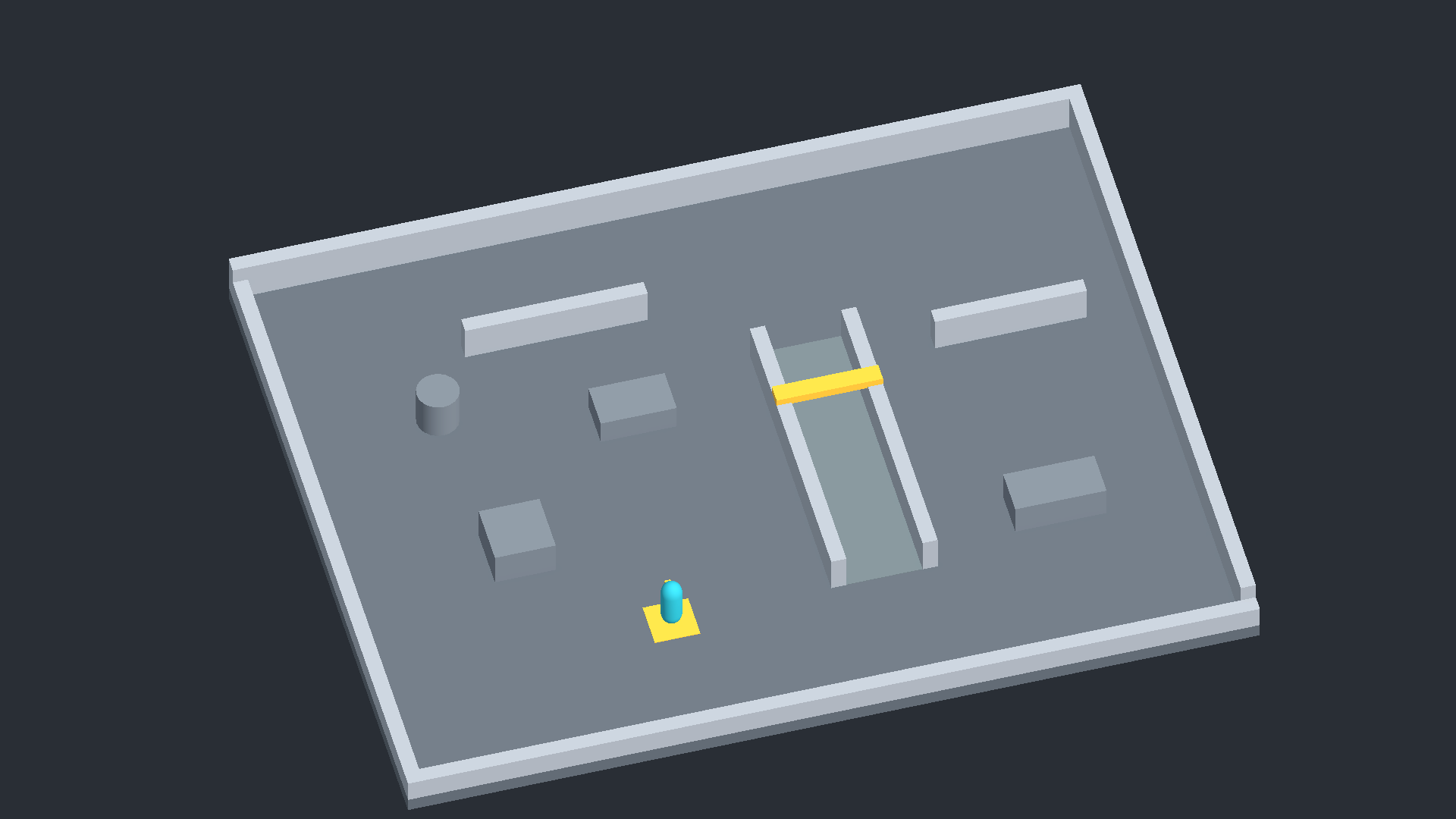
I did not want to start by building a large city. I wanted to find out whether moving around a guard in a small space was worth pursuing. Doors, an objective, and an escape zone gave that experiment a purpose. They also raised the next question: getting in might be manageable, but what should change once you steal something?
Setting up a workflow the AI could return to
I am using AI-assisted development quite heavily on this project. You could call it vibe coding, but the useful part has been establishing a repeatable working environment.
I decide the direction, scope, and what to add or remove. I use GPT to discuss ideas, break down problems, and narrow the next implementation task. Codex handles Unity C#, Editor tools, scene and prefab generation, validation, documentation, and Git work. Then I play the result and decide what needs changing.
The loop is fairly ordinary: idea, discussion, implementation, play, find something awkward, revise the design, implement again, play again.
Before starting the game, I put common instructions into a personal Unity base repository. New projects can inherit the workflow and build their own design notes and decisions on top.
The project’s AGENTS.md tells the agent to read the design, TODO list, previous decisions, and asset selections before doing meaningful work. Project-owned content goes under Assets/_Project/; Editor automation lives under Assets/Editor/AI/. Repeated setup should become an Editor tool rather than another list of Inspector steps for me to perform.
City Heist now has scene builders for its earlier experiments and a menu for setting up the current MVP. That makes repeated scene creation and reference wiring easier to reproduce. There is also a read-only Validate MVP command for saved scenes and assets. A clean report helps catch configuration problems; it cannot tell me whether the controls feel good or the difficulty is fair.
Giving the AI a catalog of assets I already owned
Over time, I had accumulated quite a few Unity Asset Store purchases. Every new project brought the same small chore: remembering what I had, finding it again, and checking whether it might fit.
So I turned that collection into a structured catalog. The current owned-assets.json contains metadata for 210 packages. Package IDs came from the My Assets HTML, alongside names, publishers, versions, legacy flags, and exact Asset Store URLs.
A title alone is a poor identifier. Keeping the package ID and URL gives the agent a specific product to work with. I put this catalog in the personal Unity base repository so the next project could use it too. There is also a small Unity Editor window for searching by name, publisher, or ID and saving a selection.
The instructions ask the AI to check existing selections and then owned packages before looking elsewhere for art, environments, characters, animation, audio, VFX, or UI. It can narrow the candidates using resources I actually have. That does not mean importing all 210 packages.
The crucial distinction is that owned does not mean imported.
A catalog entry for POLYGON City is not evidence that a particular prefab exists in the project. The agent must not invent a plausible folder or filename from a package title. I import only the packages we need, and then the agent inspects the actual Assets/ tree before using prefab, AnimationClip, material, audio, or VFX paths.
Selections are recorded in selected-assets.json and ASSET_SELECTION.md, with separate states:
planned: a candidate selected for possible useimported: present in the projectwired: connected to the gamerejected: considered and ruled out
This separates what I own from what is installed and what the game actually uses. It reduces repeated searches and the risk of referencing imaginary prefabs. It also makes the same process reusable for another game.
I was giving the AI context about my development resources, not just my code.
The Git repositories contain package metadata, IDs, URLs, selection records, workflow documents, and project-owned work. They do not contain the purchased Asset Store source files. Those are imported locally into each Unity project and excluded from Git. Wrappers, controllers, and other game-specific integration files are tracked separately.
How those choices played out in City Heist
The first visual need was a city setting that could support a small heist. The owned catalog pointed to POLYGON - City Pack - Art by Synty and POLYGON - Heist Pack - Art by Synty. Using a consistent family seemed more useful than combining lots of unrelated packs.
After import, the actual prefabs, materials, and Demo/Overview scenes were inspected. City supplied street and background elements, vehicles, and lamps. Heist supplied characters, shop interiors, doors, displays, and jewelry. Project-owned wrappers connect the visuals while keeping gameplay collision and movement separate. The purchased prefabs themselves are left alone.
Adding a character model exposed another gap: having a rigged model does not mean having useful locomotion. The inspected Heist Take 001 animation did not provide the walking and running needed here.
I imported Human Basic Motions, which I already owned, and the actual clips were checked. Five are now connected to project-owned Player and Guard controllers: Idle, Walk, Run, Crouch Idle, and Crouch Walk. Root motion is disabled so the existing gameplay code remains responsible for movement. Foot sliding and transitions still need human review.
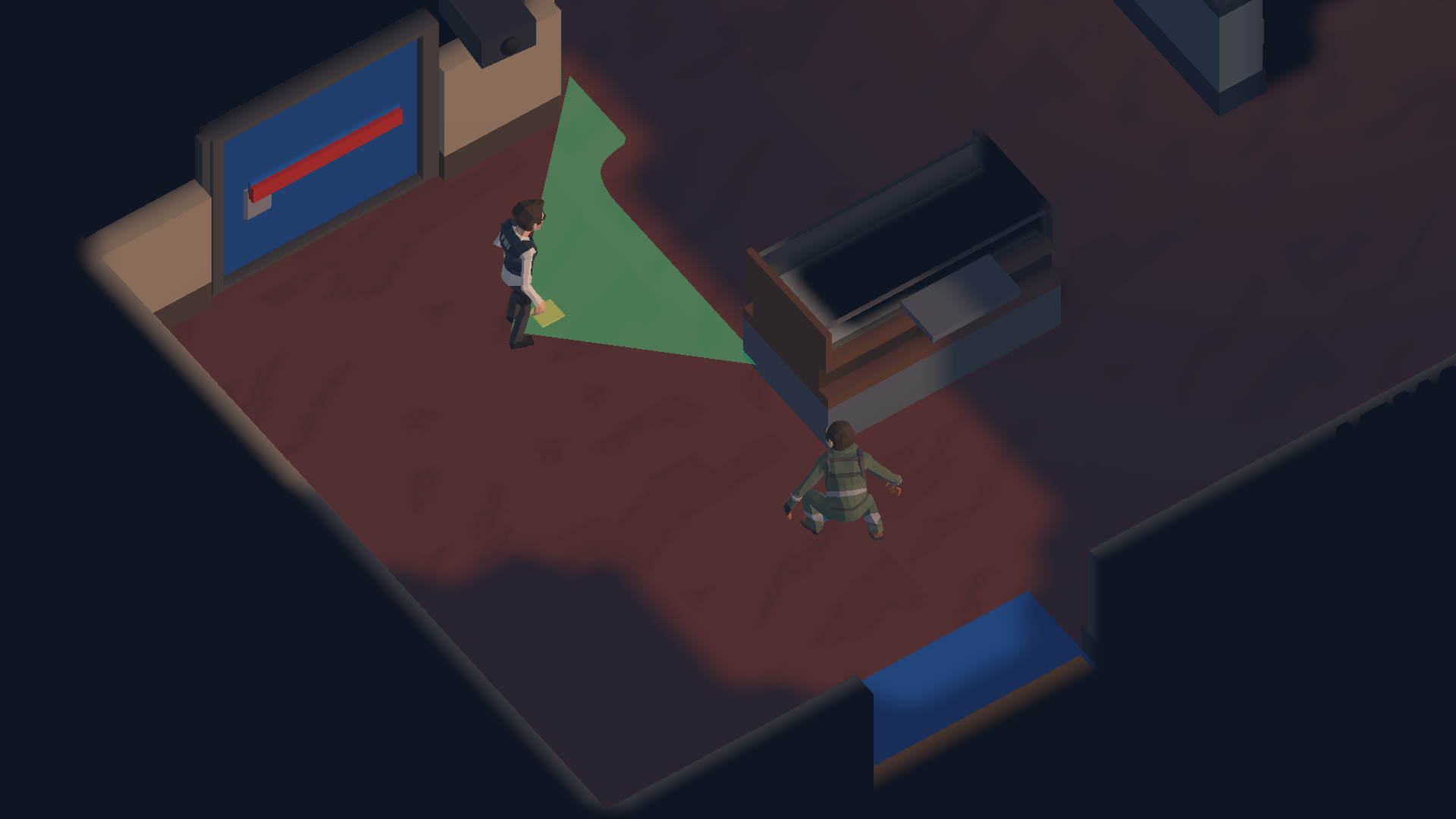
These are existing Devlog captures from Unity’s renderer. Characters and cameras were staged and security movement was paused for the photographs; they are not an uninterrupted playthrough. Detail shots retain actual visibility checks, with the main HUD hidden. The art and any visible UI are still work in progress.
As tools and detection were added, actions needed clearer feedback. Epic Toon FX and UI SFX Mega Pack supplied a small selection of sparks, glints, UI confirmations, electronic device cues, and warnings. The imported files, clip information, particle systems, and materials were audited before wiring them. VFX use project-owned wrappers and derived URP materials.
Not everything imported made it into the game. FREE Casual Game SFX Pack and Free Casual SoundFX Pack were both imported and audited, but neither currently supplies a selected sound. Footsteps, mechanical door sounds, and city or room ambience are still unassigned because suitable sources have not been verified. Filling those gaps with arbitrary clicks would not help. Even the selected cues still need listening tests for their mix and timbre.
These are the five core packages currently connected to the game.
This post contains Unity Asset Store affiliate links. I may receive a commission from purchases made through these links.
Turning the test map into City Block A
Once doors, theft, and escape worked together, CCTV added another kind of risk. EMP, Lockpick, and Distraction then offered different ways to deal with routes and security. The current loadout asks you to choose two of the three. EMP temporarily disables cameras, Lockpick opens locked shortcuts, and Distraction draws a guard away.
Building another map for every variation would have made the project much larger. Instead, I wanted to try different jobs in the same place.
The physical map and mission data are separate. The map contains geometry, navigation, and candidate entrances, patrol routes, camera positions, and targets. A MissionDefinition chooses which of those to use, along with door locks, the entry point, and the escape destination.
The small shop layout later grew into City Block A, a 68 × 52 m space. It keeps the jewelry store and adds a west office, front street, rear and service alleys, and a parking/loading area. The purpose of the extra space is to offer direct routes, longer detours, and tool-assisted shortcuts.
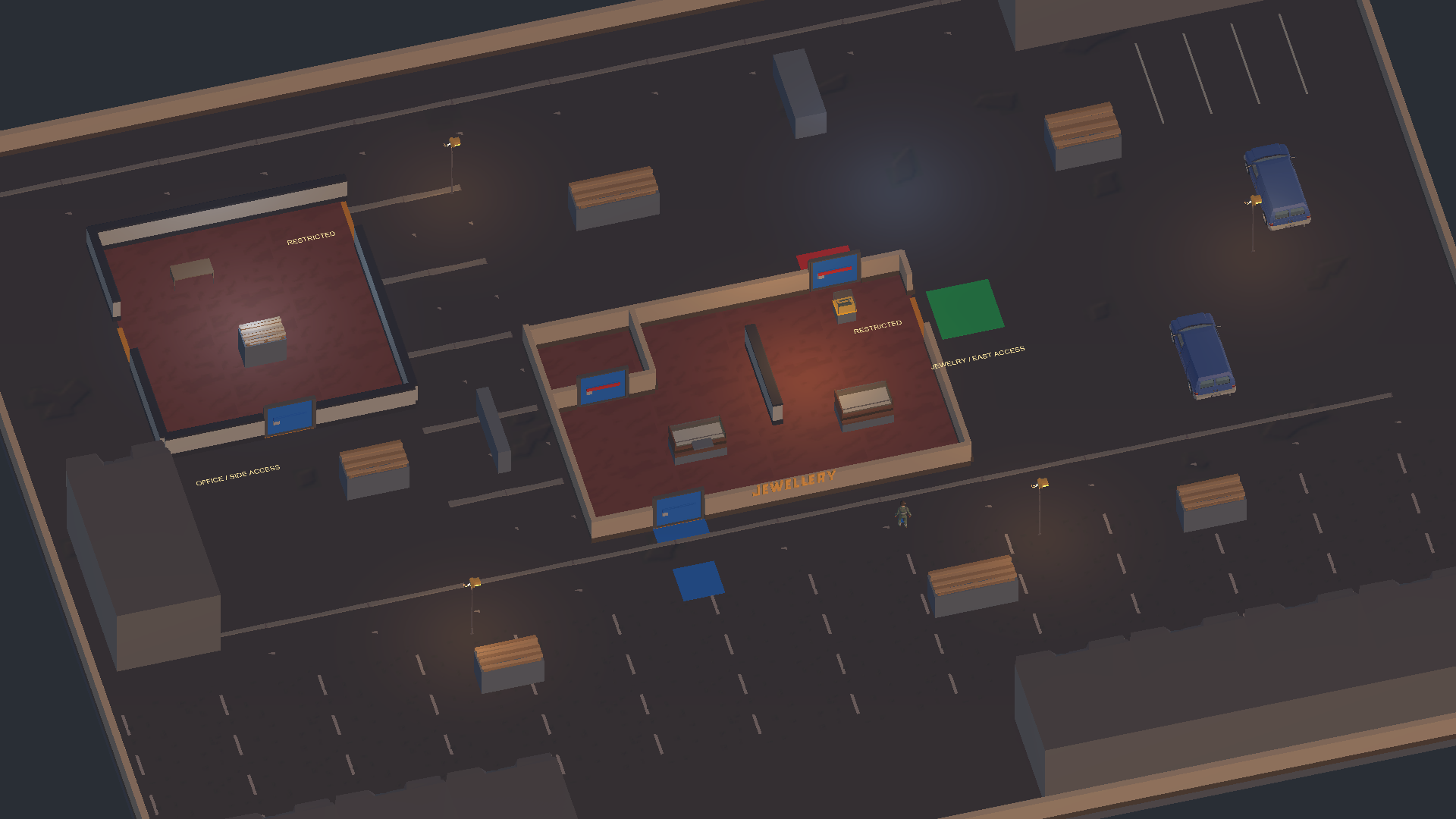
This establishing overview hides fog and security actors to show the layout. The full map is not visible like this during normal play. It also uses different framing from the original graybox; these are two development stages, not identical layouts.
Three missions currently share that one map.
| Mission | Entry → target → exit | Guards / CCTV | Lighting |
|---|---|---|---|
| Jewelry Basic | Front street → jewelry → east alley | 2 / 2 | Dusk |
| Office Documents | Rear alley → office documents → parking | 3 / 3 | Night |
| Jewelry High Security | Parking → west display → front street | 4 / 5 | Late Night |
Locked routes and security placements vary too. The intention is to let familiarity with the space matter while asking for a different plan on each mission. I am testing how much variation a small location can support before adding more maps or systems.
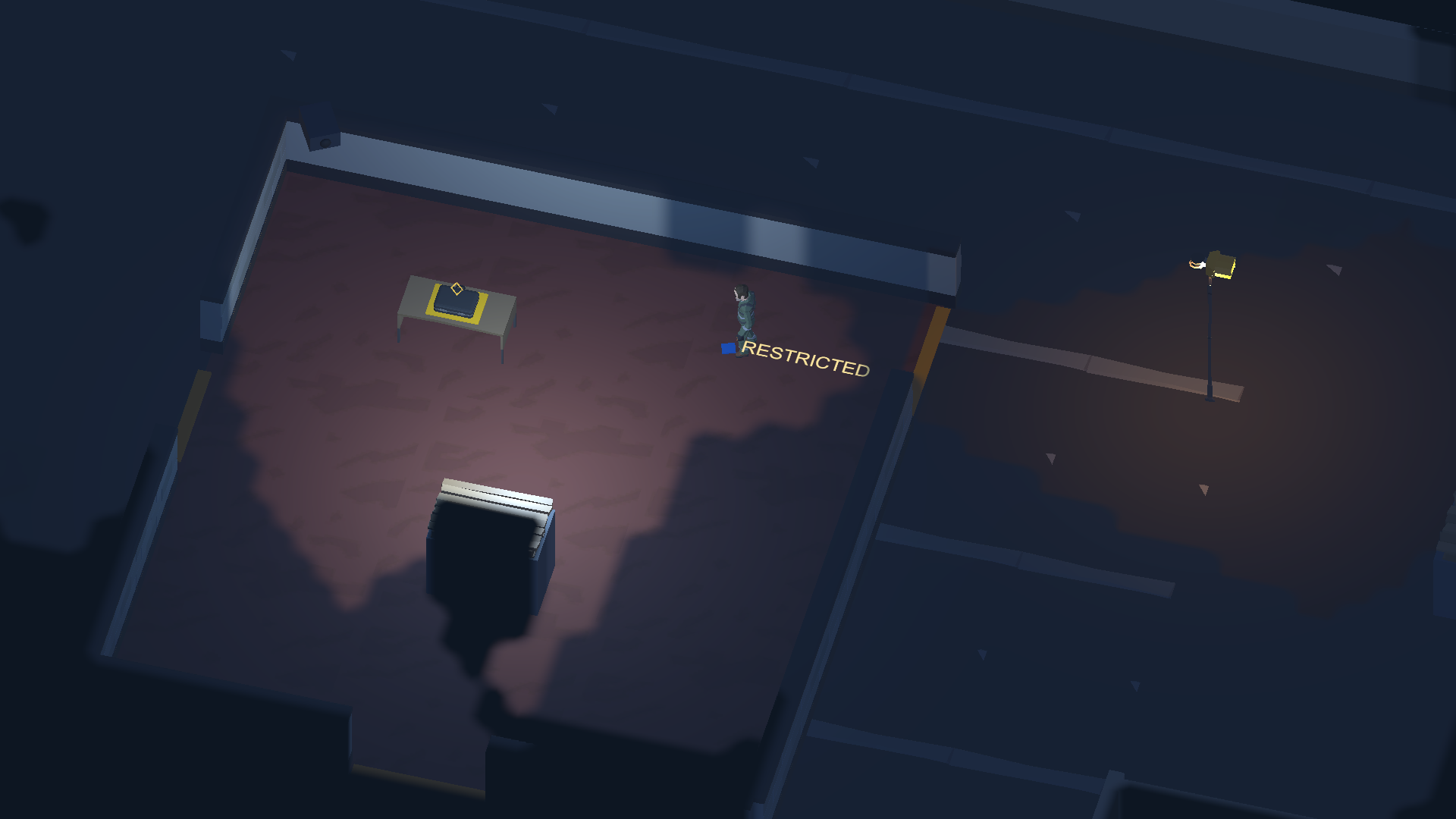
Lighting profiles also come from mission data. Darkness does not automatically reduce guard detection range; atmosphere and detection rules are separate. Whether the night scenes remain comfortable to read on a real monitor still needs playtesting.
The quarter-view camera gave away too much
A quarter-view camera makes the layout easy to read. It also let the player see guards behind walls that the character could not see. That removed some of the reason to move carefully and gather information.
Player Visibility and Fog of War were added to address that. Current sight is shown normally, explored static space remains as a dark memory, and unexplored areas are almost black. Guards are visible only inside the player’s actual field of view and line of sight.
A discovered CCTV position can leave a neutral marker, but that marker does not keep broadcasting its live rotation, cone, or state. Hidden guards and cameras continue simulating; only their presentation is hidden.
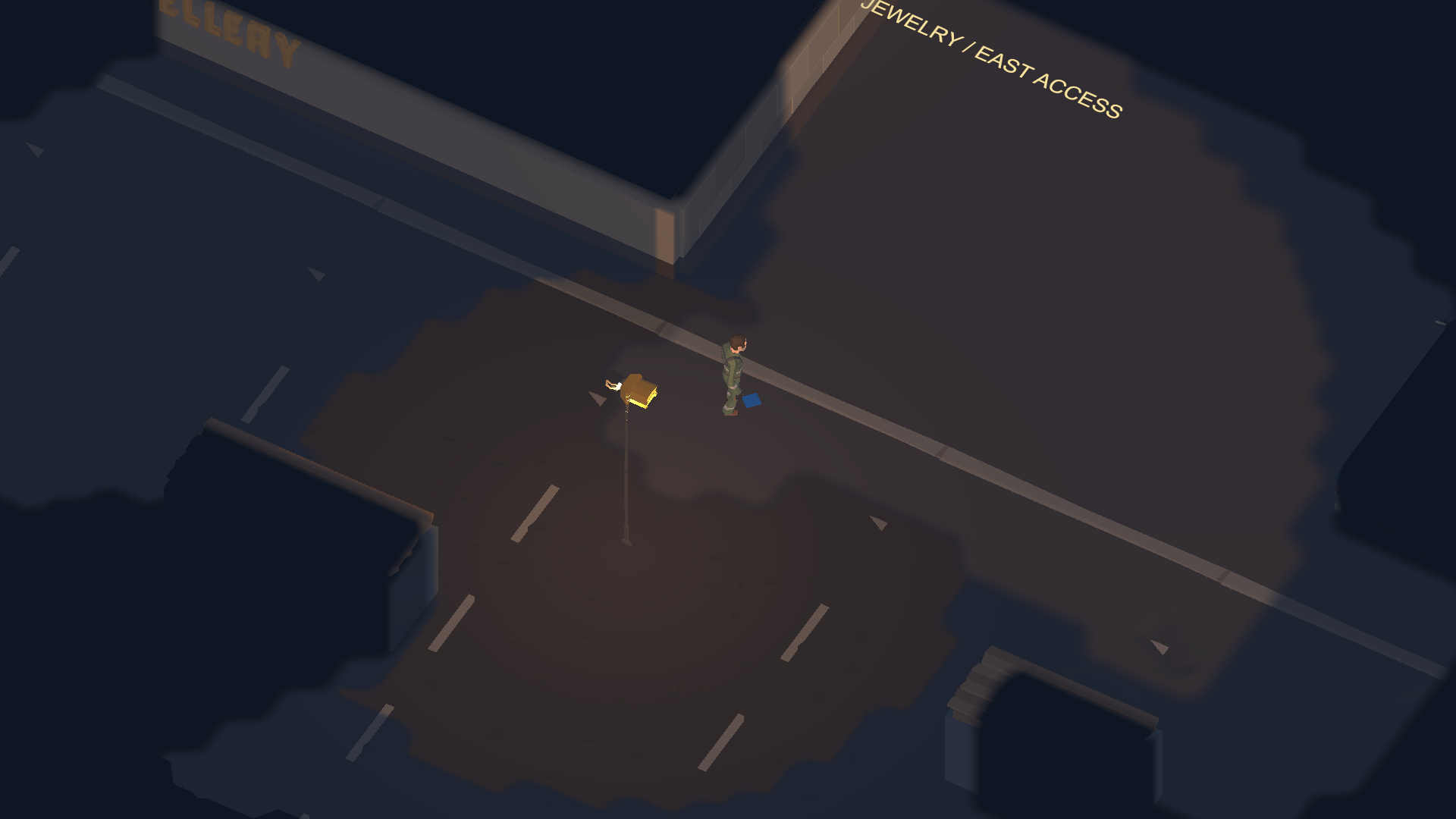
Then hiding information created another problem. A lit street could become too dark simply because the player was facing away from it.
The recent Phase 9 changes separate readable static scenery from live security information. Outdoor lamps can reveal nearby static space where walls do not block it, while guards and cameras still require actual player sight. An indoor light does not automatically expose the room through a wall.
Making visibility more restrictive was not enough on its own. I am still working out which information should be earned and which information is necessary just to understand the space.
Playing it exposed another set of problems
The systems looked promising as they accumulated. Playing them together kept raising less flattering questions.
Why was a guard hostile before I had even entered the building? The current implementation divides space into Public, Restricted, and Secure zones, with all mission starts in Public. Before theft or an alert, standing in public does not build suspicion. Once an alert is active or the player carries the objective, stepping outside does not end pursuit.
Camera detection also needed to explain itself better. There is now a detection progress warning and an explicit spotted message. Those warnings do not reveal the coordinates or direction of a camera outside the player’s sight. Feedback should explain danger without becoming a way to see through walls.
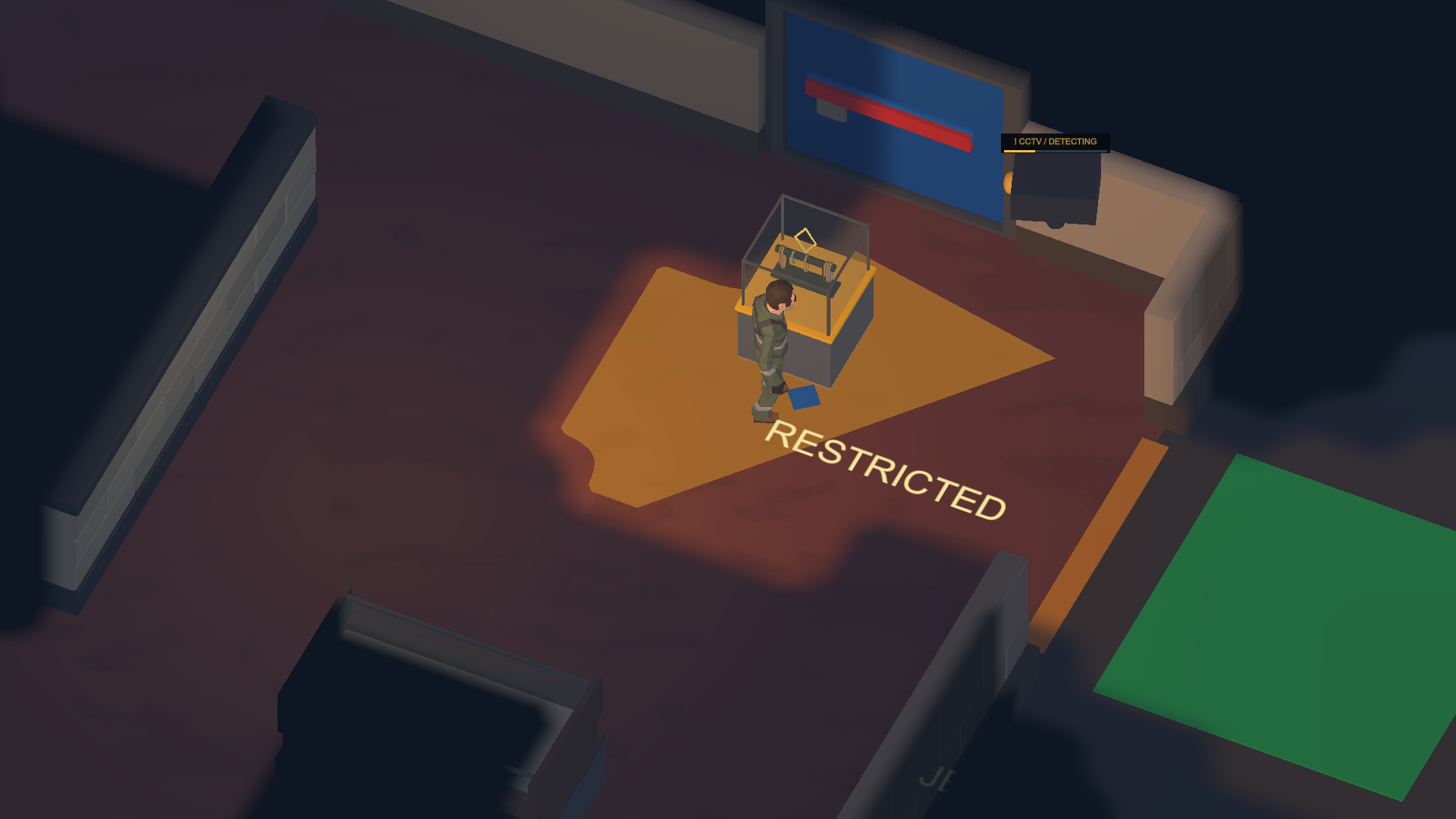
Knowing what to steal was not always enough to know where to start looking. Missions now provide a coarse target-area description. The first actual sighting triggers TARGET LOCATED and a small glint. The world target and glint disappear again when sight is lost, rather than becoming a permanent through-wall waypoint.
Lockpick raised a different concern. If an optional tool feels like an admission ticket, choosing two tools is barely a choice. The current missions preserve routes that require no tool charges, with locked doors serving as shortcuts. A route can exist without being obvious to a new player, so entry and restricted-area markings were improved as well.
Running straight in, taking the objective, and sprinting out was also too strong. Recent changes give one existing guard an authored patrol response near the exit after an alert. Extraction then requires three continuous seconds out of actual guard and camera sight. I avoided locking every door and accidentally turning Lockpick into a mandatory escape key.
These changes are implemented in the code and saved mission setup. Automated Play Mode runs also verified routes through all nine mission/tool-pair combinations without spending charges. A route being possible does not establish that it is fun or fair. Human playtesting and balance review are still needed to judge whether sprinting is less dominant, warnings make sense, and detours feel worthwhile.
Faster implementation still left decisions to make
The biggest change from using AI has been the cost of trying an idea. Repetitive implementation, scene setup, reference wiring, validation, and documentation are easier to handle together. I can get a rule into a playable form sooner and find out what it does.
But “the guard chases correctly” is different from “the guard feels fair.” A working loadout screen does not create a meaningful choice if one tool is effectively required. Several security systems do not encourage observation if ignoring them and running is the best approach.
I still have to play, identify the awkward parts, check the implementation, and decide which direction to take next. Those judgments are what turn the next coding task into a useful change.
AI producing code quickly and a game becoming enjoyable are separate things. Lower implementation costs have let me test more ideas directly, including ideas that turn out to need another revision.
Still in development
The current version supports playing and retrying the three mission loops. Local Windows builds and automated checks have been run, but there is no public playable build yet. Rewards, progression, and saving are not implemented.
The UI is temporary, and the art, animation, audio, and feedback are still short of a final polish pass. First-run clarity, mission balance, night visibility, and the sound mix all need more human review.
Playing keeps revealing things to change. For now, I want to spend less time adding systems and more time seeing whether the existing ones work together as a stealth game: whether watching, waiting, and taking a different route are actually interesting choices.